> For the complete documentation index, see [llms.txt](https://mosoas.gitbook.io/guide/llms.txt). Markdown versions of documentation pages are available by appending `.md` to page URLs; this page is available as [Markdown](https://mosoas.gitbook.io/guide/topp-n-user-guide/account.md). Agents can also search and read this documentation through its [MCP server](https://mosoas.gitbook.io/guide/~gitbook/mcp).
# Account
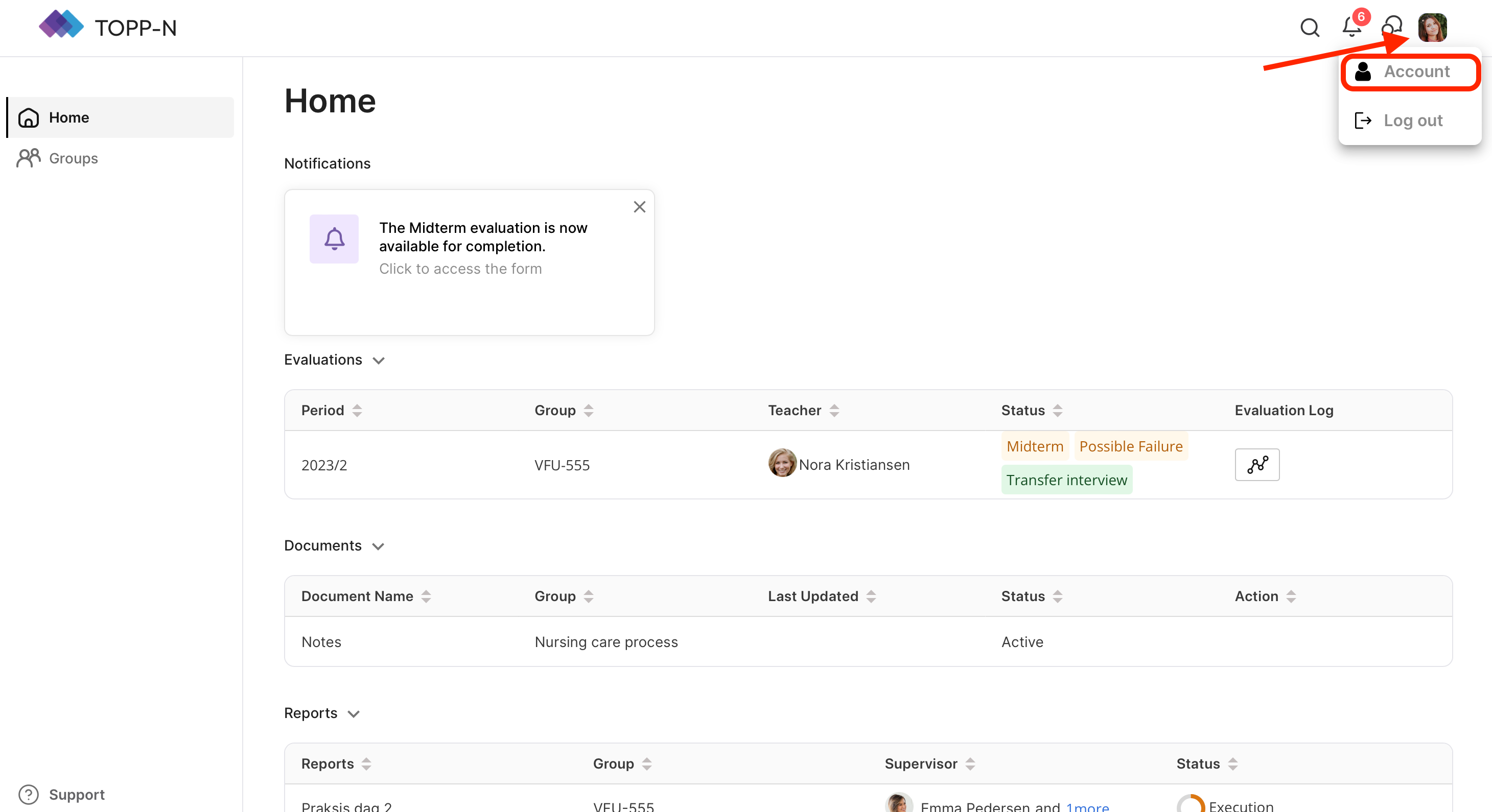
Your account settings provide you with the flexibility to customize and manage your personal information within the application. Here's how you can navigate and utilize these settings:
1. **Editing Personal Information:**
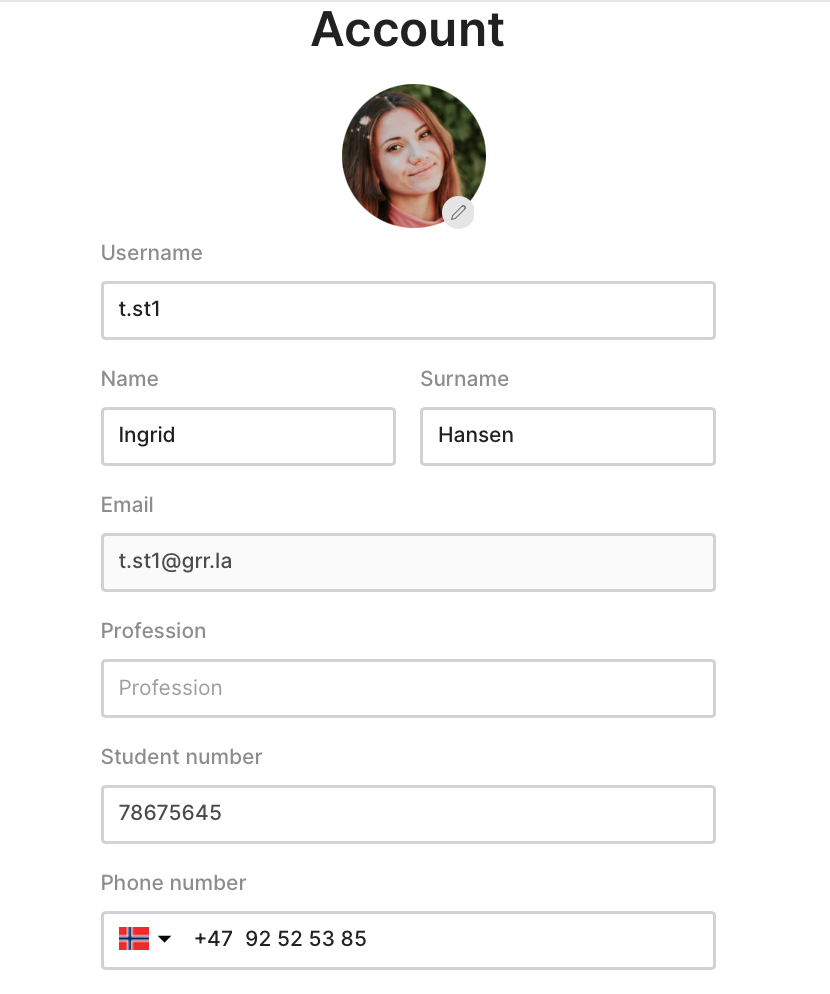
* To update your username, name, and surname, go to your account settings.
* Locate the corresponding fields and make the desired changes.
* Save your changes to update your personal information.
2. **Changing Phone Number:**
* If you need to update your phone number, access your account settings.
* Find the phone number field and input the new information.
* Save the changes to ensure your updated phone number is reflected in your account.
3. **Adjusting App Language:**
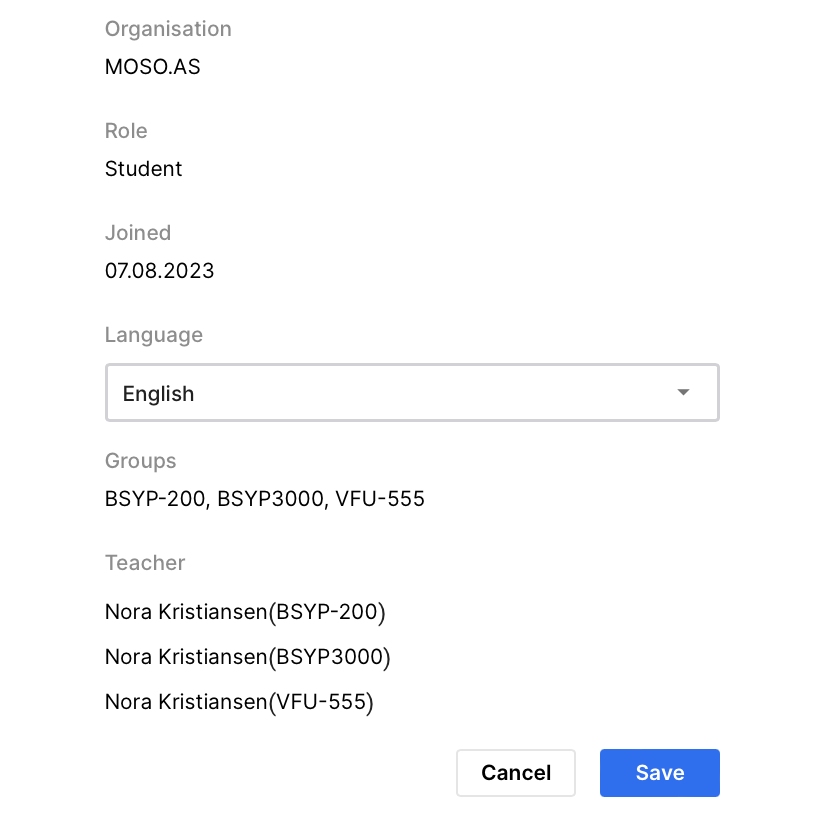
* Tailor your app experience by changing the language settings.
* Navigate to the language preferences within your account settings.
* Choose the desired language from the available options.
* Save your selection to switch the app language accordingly.
4. **Displaying Group Affiliations:**
* Access your account settings to view a summary of your group affiliations.
* Group affiliations provide an overview of the groups you are associated with.
* This information helps you stay organized and connected within your academic or professional communities.
{% hint style="info" %} By utilizing these account settings, you can ensure that your personal information is up-to-date, customize your app language preference, and easily track your group affiliations for a seamless and personalized experience.
{% endhint %}